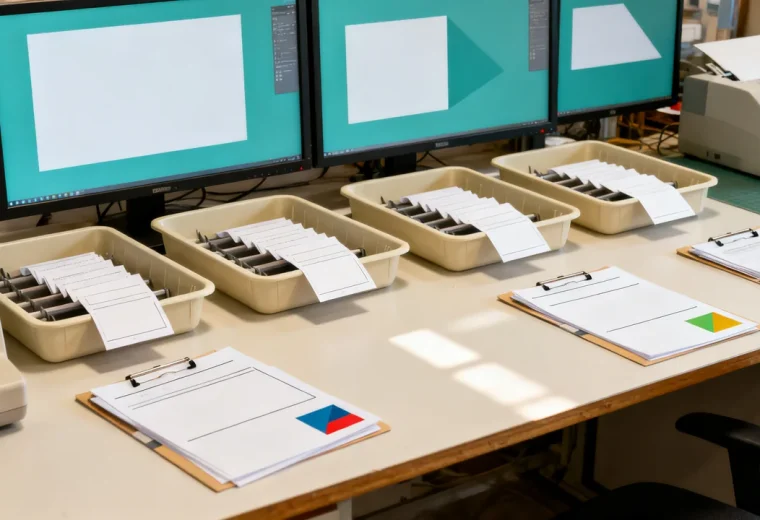
A draft quote is a working, internal-only version of a customer quote that is never shared with clients until all gaps and inconsistencies are resolved. Unlike a formal quote, it can include incomplete line items, rough cost estimates, internal questions, and placeholder notes to guide team review before finalization. Using draft quotes systematically cuts down on the time spent revising quotes after sending, reduces misalignment between office and field teams, and minimizes the risk of agreeing to work you cannot deliver at the stated price.
This guide focuses exclusively on the internal review and gap-filling process for draft quotes, and does not cover scope definition, template building, revision management, or approval tracking, which are addressed in separate dedicated guides.
Core Elements of a Usable Draft Quote
A draft quote does not need to be polished, but it must include enough structured data to identify gaps efficiently. Before initiating a review, ensure every draft includes these non-negotiable components:
- Unique record reference plus a clear draft status and revision, preserved when the quote is finalized if the platform supports that model
- Customer and property location details (even partial, such as a zip code or cross streets, to flag travel or access considerations)
- List of requested services, no matter how vague (e.g., “fix water heater” instead of omitting the request entirely)
- Any existing notes from the initial customer call or form submission, including budget ranges the customer mentioned or preferred scheduling constraints
- Placeholder values for any unknown costs (e.g., “TBD parts cost” instead of leaving the line item blank, so reviewers can immediately spot what is missing)
A draft can use the same basic layout as a final quote, provided its internal status and distribution controls are clear. Use an editing view that highlights unresolved fields and preview the eventual customer output separately. Test email, PDF, portal and text delivery paths so private review notes do not leak when the draft is approved.
Common Information Gaps to Flag During Draft Review
The primary goal of draft quote review is to catch gaps before they lead to underpriced work, unmet customer expectations, or field team confusion. These are the most frequent gaps to prioritize during review:
- Missing access details: No note about gate codes, restricted parking, required PPE, or limited work windows (e.g., “customer only allows work between 9am and 1pm on weekdays”) that could increase labor or travel costs
- Unspecified parts requirements: A service line item for “repair” with no note about whether parts are included, or what type of parts are compatible with the customer’s equipment
- Unclear labor assumptions: No indication of how many technicians are required, how long the job is expected to take, or whether specialized skills (e.g., commercial electrical certification) are needed
- Unstated exclusion assumptions: No note about work the customer might expect that is not included, such as hauling away old parts or repairing secondary damage caused by the original issue
- Mismatched pricing: Line item costs that do not align with your standard rate card, or total prices that do not add up correctly (e.g., 2 hours of labor at $100/hour listed as $150 total)
When you flag a gap, add a clear internal note to the draft quote that specifies what information is needed and who is responsible for gathering it (e.g., “Need to confirm if customer has a 40-gallon or 50-gallon water heater, assign to dispatcher to call customer”). Avoid generic notes like “missing info” that do not give clear next steps.
Illustrative Example: Draft Quote Review for a Residential Plumbing Job
This hypothetical example uses assumed values for illustrative purposes only. A customer submits a request for “water heater repair” through your website, providing their name, address, and a note that “the water is not getting hot enough.” The initial draft quote created by your admin includes the following line items:
- Draft ID: DFT-2024-117
- Customer: Maria R., 123 Oak St, 45202
- Service line item 1: Water heater repair, labor: 2 hours, $100/hour = $200
- Service line item 2: Parts: unresolved, excluded from confirmed subtotal
- Known labor subtotal: $200; complete proposal total not yet confirmed
- Internal note: Customer mentioned budget is around $300 total
The responsible technician flags three unresolved items: the exact equipment and fault need assessment, the compatible part has not been identified, and access arrangements are unconfirmed. Customer-supplied age and capacity help identify the equipment but do not determine a repair or part price. The draft remains internal and incomplete until the required assessment and pricing source are available.
The dispatcher confirms the access contact and records the customer’s budget without treating that budget as evidence of repair cost. In this hypothetical example, a qualified assessment subsequently identifies the required part and the business verifies an assumed $75 quote for it. The proposed two hours of labor are also confirmed for this example. Only then is the draft updated:
- Service line item 1: Water heater repair, labor: 2 hours, $100/hour = $200
- Service line item 2: Verified part identified in the assessment: assumed quoted price $75
- Internal note: If unit needs full replacement, send revised quote before proceeding; customer has a $300 budget for repairs only
- Total: $275, which falls within the customer’s stated budget
After the required information is verified, preview the proposed quote and its assumptions before sending. The draft review reduces overlooked questions but does not guarantee that every future site condition is known.
Draft Quote Review Decision Matrix
Use this table to determine what action to take when you identify a gap in a draft quote, based on how much the missing information could impact the final price or deliverability of the job:
| Missing information | Why it matters | Draft action |
|---|---|---|
| Access or site identity | May prevent the visit or direct it to the wrong place | Resolve before committing an appointment; do not classify it by a guessed cost percentage. |
| Unknown scope or compatible part | May change what can be delivered | Obtain qualified assessment or issue a clearly bounded assessment proposal. |
| Unverified charge | Total cannot yet be confirmed | Keep it unresolved, identify the pricing source and obtain approval for any revised proposal. |
| Optional item not selected | May be mistakenly included in the total | Keep it excluded and label its status clearly. |
| Internal review note | May be accidentally shared | Resolve or retain privately, then test the customer output. |
An access gap can prevent the whole visit even if someone estimates that resolving it would take only a few minutes. Treat it according to its operational consequence. Likewise, a technical compatibility question requires the appropriate assessment rather than a price-percentage rule. Keep a proposed assessment scope separate from an unverified repair offer.
Integrating Draft Quote Review Into Your Existing Workflow
Draft quote review works best when it is a required step before any formal quote is sent to a customer, rather than an optional process. For small teams, you can integrate the review process without adding excessive administrative work using these steps:
- Assign one team member (e.g., dispatcher, operations lead) as the default draft reviewer for all quotes, or assign reviewers based on service type (e.g., lead plumber reviews plumbing quotes, lead electrician reviews electrical quotes) to ensure the reviewer has the technical knowledge to spot gaps.
- Set review targets that match the request, available reviewers and information needed; do not use a deadline as permission to skip a material check.
- For teams using field service software, note that draft status restrictions that block sending to customers are vendor-dependent: test any such feature to confirm the block works for both email and text quote sends, and that overrides are only available to designated managers if that functionality is supported.
- Link draft quotes to any existing customer or property records in your system, so reviewers can easily access past service history that may fill gaps (e.g., a past ticket noting the property has a 50-gallon water heater installed in 2016).
If you have a team of two or fewer people, the same person can create the draft and review it, but use a mandatory 10-minute waiting period between creating the draft and reviewing it to avoid missing obvious gaps you would overlook when working quickly.
Offline Draft Quote Management for Teams With Limited Connectivity
If your team creates draft quotes while on site with no internet access, use a standardized paper or offline digital form that clearly marks drafts as internal only, and includes a section for gap notes. Offline sync functionality for field service apps is vendor-dependent, so follow these rules to avoid mixing up drafts and formal quotes when working offline:
- Use a separate color for draft quote forms (e.g., yellow paper) so they are immediately distinguishable from white formal quote forms.
- Include a mandatory “gap check” section on the offline draft form that requires the creator to list any missing information before submitting the draft for review.
- When you regain connectivity, upload the draft to your system within 24 hours, and follow the same review process as you would for drafts created in the office.
- Never hand a paper draft to a customer as a formal quote, even if they ask for an on-the-spot estimate. If a customer needs an immediate estimate, provide a verbal range with a clear caveat that the formal quote will be sent after internal review, and note the verbal range in the draft for reference.
Test any offline draft functionality in your mobile field service app to confirm all internal notes and gap flags are saved when you regain connectivity, and that drafts are not accidentally synced to customer-facing portals before review. A simple test case is to create a draft with an internal “missing part cost” note while in airplane mode, then reconnect to the internet and confirm the note is present when you open the draft in the office.
Actionable Pre-Send Draft Quote Checklist
Use this short checklist for every draft quote before converting it to a formal quote for customer distribution:
- All line items have either a confirmed cost per your rate card, or a clear note explaining how variable costs will be handled if they arise
- Access requirements, work window restrictions, and specialized skill needs are confirmed and accounted for in pricing
- Total cost adds up correctly, and aligns with your standard rate card unless a deliberate discount is noted and approved per your internal policy
- All internal notes that are not intended for customer viewing are marked to be stripped out during conversion to a formal quote (test this conversion process with your software to confirm no internal data is leaked)
- If any high-impact gaps remain, the formal quote includes a clear, customer-facing caveat stating what assumptions were used and what could trigger a price adjustment
For urgent requests, a bounded assessment proposal may be more appropriate than a repair quote with unresolved material facts. State what the assessment includes and what remains undecided. A general “price may change” caveat does not turn an unverified scope into a confirmed offer; use the approved revision and authorization process when new information changes the proposal.
Once a draft is approved and converted to a formal quote, save the original draft record in your system linked to the formal quote, so you can reference the initial gap notes if the customer requests changes or the job scope shifts after work begins. This is for internal reference only, and does not replace a formal change order process for scope adjustments after quote acceptance.
Have a question or a correction?
Contact the editorial team